
Vehicle Care by Assurant
Assurant, Inc.Auto & Vehicles
3.034.00 Reviews
- Version
- 3.3.1
- Installs
- 50.00K
- Age Rating
- Everyone
Screenshots
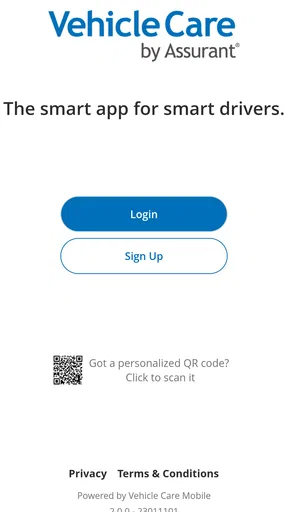
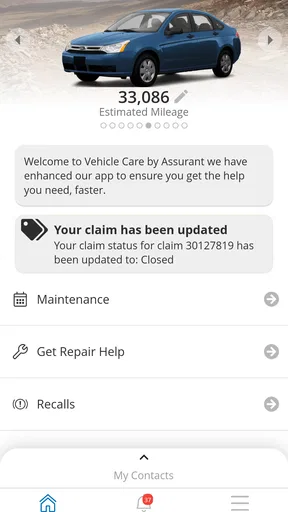
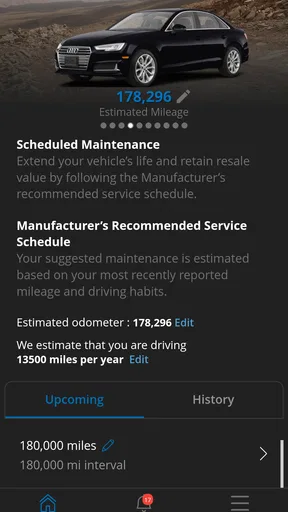
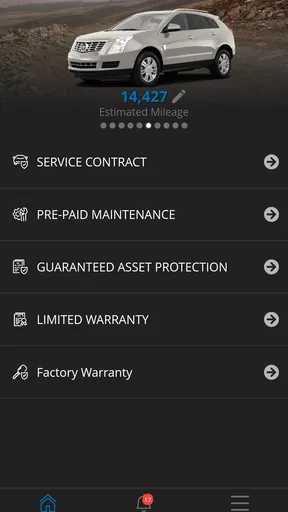
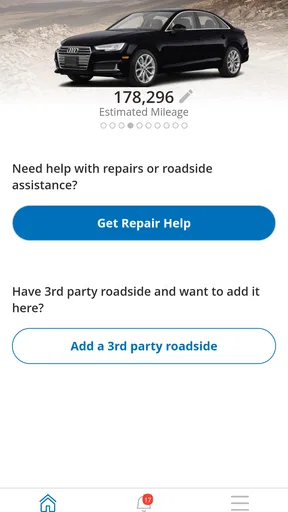
Our Review of Vehicle Care by Assurant
 Analysis by Appyee
Vehicle Care by Assurant is the kind of car care app I would approach as a practical ownership companion rather than a complete replacement for a mechanic, insurance portal, or vehicle manufacturer app. It is free, aimed at everyone, and comes from Assurant, Inc., a developer already associated with protection and ownership services. In my experience, that positioning matters: the app makes the most sense when you want one place to stay more organized around a vehicle, but it should not be treated as an automatic answer to every maintenance or roadside problem.
The app sits in the Auto & Vehicles category and has reached over fifty thousand installs. Its average score is three out of five from around seventy ratings, with roughly thirty reviews. That combination tells me to keep expectations measured. There is enough public usage to make it worth examining, but not enough feedback to assume that every driver will have the same experience. I tested it with that in mind, paying particular attention to the moments where a car-care tool needs to earn trust: setup, account choices, information handling, and how clearly it lets the driver remain in control.
What Vehicle Care by Assurant is really useful for
The strongest idea behind this app is reducing the mental load of vehicle ownership. Cars generate small responsibilities that are easy to scatter across glove-box receipts, calendar reminders, email messages, and memory. A dedicated care app can give those tasks a more deliberate home. I found that useful for the ordinary, unglamorous parts of driving: remembering when attention is due, keeping ownership information easier to revisit, and creating a routine instead of waiting for a warning light.
That distinction is important. This is not an app I would open expecting it to diagnose a strange engine noise from a few symptoms. It is also not a substitute for a workshop inspection, roadside assistance, or a detailed maintenance system designed for professional fleets. Its value is more everyday and preventive. If you own one vehicle and tend to postpone small administrative jobs, a focused care tool can make those jobs feel less scattered.
A realistic use case is a driver preparing for a long trip. Rather than relying on a vague memory of the last service, I would use the app to review the vehicle-care information I have already entered or connected, then check the items that deserve attention before leaving. The benefit is not that the app magically inspects the car. The benefit is that it encourages a short pause before a journey, when noticing an overdue task is much better than discovering a problem halfway to the destination.
I also see a role for households that share a car. One person may handle servicing while another drives most of the week. A central care record can reduce the familiar “when was that done?” conversation. The trade-off is that the record is only as useful as the information maintained in it. If you enter something incorrectly, forget to update it, or assume the app has verified a detail that you entered yourself, the convenience can become false confidence.
Trust starts before the first useful screen
For an app connected with vehicle ownership, I do not judge trust only by how polished the interface feels. I look at what the app asks me to do during setup, which choices are visible, and whether it gives me a clear reason for each account or information request. Vehicle details can feel personal even when they are not financial data, because they describe a possession, its history, and sometimes the habits of the person using it.
My advice is to slow down during onboarding instead of tapping through automatically. Read each prompt, distinguish required steps from optional ones, and avoid entering extra information merely because a field is available. That is a useful habit with any ownership app, but it matters especially here because the app's usefulness depends on the quality and relevance of the vehicle information attached to your account.
The developer is Assurant, Inc., and the app is free to install. Free does not mean that every data-related choice should be accepted without thought. I would still inspect the permission prompts and account screens as they appear on the device, because those are the places where the practical boundaries of the app become visible. I would not rely on a general assumption about what an app in this category must need.
The current version is 3.3.1 and it requires at least operating system version ten. That requirement is relatively important for people using an older phone: compatibility should be checked before building a vehicle-care routine around it. The app was released on October 3, 2020, so it is not a brand-new experiment, but its age alone does not prove that every device experience is equally smooth. I would install it on the phone I actually use for driving-related tasks and test the important screens before depending on it.
Account controls deserve a deliberate check
When I review an app like this, I want to know whether I can change my mind easily. Can I edit vehicle information? Can I remove an old vehicle? Can I sign out without losing my understanding of what is stored? Can I tell which information belongs to the vehicle and which belongs to my account? These are not cosmetic questions. They determine whether the app remains manageable after a sale, a household change, or a switch to a different car.
I would make a small control check immediately after setup. Open the profile or account area, locate the vehicle-management options, and note how information can be corrected. Then look for privacy, notification, and account settings before adding a large amount of history. This creates a safer test period: you learn how the app handles ordinary changes while the account is still simple.
Notifications are another area where user agency matters. Reminders can be helpful when they prevent an overdue task from disappearing into daily life, but too many alerts turn a care app into background noise. I prefer to begin with only the reminders that relate to actions I genuinely want to track. If the app offers separate controls, use them rather than disabling every notification at the operating-system level; that preserves the possibility of keeping useful prompts while reducing interruptions.
I would also avoid treating a saved vehicle record as a permanent archive without checking how editing and removal work. If you sell a car, lend it to another person, or manage several vehicles, old information can become confusing. A good personal workflow is to review the vehicle list whenever ownership changes and remove or clearly separate anything that no longer belongs in your active routine.
The moments when data sensitivity increases
The most sensitive moments are not necessarily the ones that look dramatic. They are the quiet steps where you identify a vehicle, attach ownership details, connect an account, or accept a permission while trying to reach the next screen. I pay close attention there because convenience can make people disclose more than they intended.
My approach is simple: provide the minimum information needed for the task in front of me, and postpone optional details until I understand why they improve the experience. If the app asks for access that seems unrelated to basic vehicle care, I would stop and read the explanation rather than granting it reflexively. If a permission is required for a specific function, I would decide whether that function is important enough to justify it. This is not suspicion for its own sake; it is ordinary account hygiene.
Vehicle information can also become sensitive through combination. A car model by itself may feel harmless, while a vehicle identity, ownership profile, location-related detail, and driving routine together can reveal much more about a person. I therefore recommend avoiding unnecessary notes that expose travel patterns or personal circumstances. Keep entries focused on care tasks, records, and decisions you actually need to revisit.
Before changing phones or resetting a device, I would check how the account behaves and whether the information is available after signing in again. I would not assume that uninstalling the app automatically removes an account or any information associated with it. Those are separate actions in many digital services, so I would look for the relevant account and privacy controls and use them deliberately.
The same caution applies when sharing a phone. If another family member uses the device, a signed-in vehicle-care account may reveal more than the owner expects. A screen lock, separate device profile where available, and a habit of signing out of shared devices are sensible safeguards. The app can support shared ownership routines, but shared access should be intentional rather than accidental.
Where it beats ordinary alternatives
The usual alternative is a mixture of paper receipts, a phone calendar, and memory. That combination can work, especially for a driver who has one vehicle and a reliable filing habit. Vehicle Care by Assurant has a clearer advantage when you want vehicle-specific organization rather than a generic reminder that says only “service car.” The context of a dedicated care app can make a task easier to understand when you return to it later.
A manufacturer app may be a better choice for someone who wants brand-specific information, connected-vehicle functions, or service-dealer integration. A generic maintenance tracker may be better for a person who wants extensive customization across several cars. A spreadsheet can win for owners who need complete control over fields, exports, and historical detail. I would choose this app when the priority is a simpler ownership routine and the available controls fit that routine, not because one app can cover every automotive need.
There is also a difference between organization and authority. A calendar reminder tells me that I planned to check something. A care app may make that plan easier to associate with a particular vehicle. Neither one proves that the work was completed correctly. I would still keep invoices, inspection paperwork, and professional advice when they matter. The app should help me remember and organize; it should not replace evidence from the people who serviced the vehicle.
One non-obvious advantage is the possibility of using the app as a pre-conversation checklist before visiting a mechanic. I can review what I remember, gather the relevant vehicle details, and ask more focused questions instead of describing a vague concern. That can make a service interaction less stressful. The limitation is that the app cannot compensate for missing technical knowledge, so I would treat it as preparation rather than diagnosis.
A practical routine that avoids false confidence
If I were setting up the app for regular use, I would start with one active vehicle and only the information I can verify from documents or my own records. I would then spend a few minutes locating editing, notification, account, and privacy controls. This initial tour is more valuable than immediately filling every available field because it shows whether the app's structure suits the way I actually manage a car.
Next, I would create a simple review habit around events that already happen: after a service visit, after renewing an important vehicle document, or before a long trip. Updating the record at those moments is easier than trying to reconstruct months of history later. I would also keep a separate copy of important receipts or official documents, since an app record should not be the only place where essential ownership information exists.
For multiple vehicles, I would use a naming system that is obvious at a glance, such as the driver's usual description rather than a private nickname that another household member may not understand. I would check the selected vehicle before entering or editing anything. This small step prevents one of the most frustrating errors in any multi-vehicle organizer: putting accurate information in the wrong record.
Another useful trade-off is deciding what not to track. Recording every tiny observation can create clutter and make meaningful tasks harder to see. I would reserve the app for information that helps me make a decision, remember a responsibility, or explain a service history. For symptoms that could indicate a safety issue, I would seek qualified advice promptly instead of waiting for an app reminder.
Who should use it, and who should skip it
I think the app is a reasonable fit for everyday drivers who want a more vehicle-focused alternative to scattered calendar entries. It may also suit households where one person needs a clearer way to hand ownership tasks to another. People who prefer a light, guided routine rather than building their own spreadsheet are the most likely to appreciate it.
I would be more cautious recommending it to fleet managers, mechanics, or meticulous enthusiasts who need deep technical records, complex service schedules, robust reporting, or highly configurable fields. A specialized fleet platform or a carefully designed spreadsheet may provide better control. I would also skip it if I only wanted emergency assistance, live vehicle diagnostics, or manufacturer-specific remote functions; those goals call for different tools.
Privacy-conscious users should not automatically reject it, but they should be more active during setup and account management. The right question is not whether the app feels convenient. It is whether the information requests, permissions, notifications, and account controls match the limited job you want it to perform. If they do, the app can be useful without becoming the center of your entire digital life.
My cautious verdict after using it
Vehicle Care by Assurant is best understood as an organizing layer for vehicle ownership. I like the idea of turning scattered care responsibilities into a repeatable routine, and I can see genuine value in using it before trips, after service visits, and when several people share responsibility for one car. Its free price and Everyone rating make it easy to try, while the modest average rating means I would test it personally rather than assume it will be flawless.
The app earns trust only when I use it with clear boundaries. I would inspect every permission and account choice, enter only relevant information, keep important documents elsewhere, and review old vehicle records when circumstances change. Those habits are not a criticism of this particular product; they are what keep a convenience tool from creating confusion or unnecessary exposure.
My recommendation is therefore measured: try it if you want straightforward help organizing a car and you are comfortable checking the available controls yourself. Give it a short trial with one vehicle before committing to a large history. If you need technical diagnosis, connected-car features, professional fleet management, or complete control over data structure, choose a more specialized alternative. For the right driver, Vehicle Care by Assurant can make ownership feel less scattered, but its best role is a careful assistant—not the final authority on the car.
Verdict
Strengths of Vehicle Care by Assurant
- Helps organize vehicle maintenance reminders in one place.
- Can make service history easier to access when needed.
- Useful for tracking routine care between dealership visits.
- May help identify upcoming maintenance before it is forgotten.
- Simple concept suited to drivers who prefer digital records.
Limitations of Vehicle Care by Assurant
- Available features may depend on your Assurant plan or vehicle program.
- Some users may find account setup and verification time-consuming.
- Reminder accuracy depends on keeping vehicle details up to date.
- Not a replacement for professional inspections or emergency roadside help.
- Support and app performance may vary by region and device.
Similar Picks in This Category
View All
Android Auto
Google LLC4.1

maxim — order a taxi & food
PT. SITO4.7

Штрафы ГИБДД: проверка с фото
Pays LLC – Штрафы ГИБДД4.7

Номерограм – проверка авто
Авто Ассист4.8

Дром Авто
Дром4.9

Frequently Asked Questions
What is Vehicle Care by Assurant?
Vehicle Care by Assurant is a mobile app designed to help eligible drivers manage vehicle-related services and support in one place. Depending on the plan or program connected to your account, it may provide access to maintenance information, service benefits, claims or assistance tools, reminders, and account details. Available features can vary according to your provider, vehicle, location, and specific coverage.
Who can use Vehicle Care by Assurant?
The app is generally intended for customers enrolled in a participating Assurant vehicle protection, maintenance, insurance, or partner program. You may need an active account, policy, contract, or invitation from the company that provided your coverage. Before downloading, check your enrollment documents or contact the relevant provider, because access may be restricted and not every vehicle owner will be eligible to use all app features.
What can I do with Vehicle Care by Assurant?
After signing in, eligible users may be able to review plan information, access vehicle-care resources, locate or request support, manage service-related details, and receive useful notifications. The exact tools depend on the Assurant program linked to your account. In our review, the app is most useful as a centralized companion for covered customers rather than as a complete replacement for a mechanic or emergency service.
Does Vehicle Care by Assurant require an internet connection or personal information?
Yes, most account, support, and service functions require an active internet connection through Wi-Fi or mobile data. The app may also request personal, vehicle, contact, location, or account information to verify eligibility and provide relevant assistance. Review the permissions and privacy policy before continuing. You should also keep your login details secure and avoid accessing sensitive account information on unsecured public networks.
Is Vehicle Care by Assurant free to download and use?
The application may be available to download without a separate purchase price, but that does not necessarily mean the associated vehicle services or coverage are free. Costs, deductibles, subscription terms, repairs, and other charges are determined by your Assurant contract or participating provider. Mobile data charges may also apply. Carefully review your plan documents so you understand what is included before requesting service through the app.
